Modernizing your GIS: a case study for Canadian organizations
How are municipalities invested in ArcGIS Desktop technology, including ArcMap, managing large-scale migrations to ArcGIS Pro without causing themselves enormous headaches? With ArcMap’s retirement on the horizon for March 2026, Canadian organizations need to start modernizing their GIS environment to minimize their risk. Austin, Texas—a city close in size to Ottawa and Edmonton—had more than 1,000 ArcGIS users across 30 departments when Esri announced ArcMap’s retirement. Learn the three key tactics they used to manage a smooth migration process for all of their users.
The eleventh-largest city in the United States, Austin, Texas—close in size to the cities of Ottawa and Edmonton, and home to the South by Southwest Conference—had more than 1,000 ArcGIS users across 30 departments when Esri announced that ArcMap would be retiring in 2026. With software security and support impacts on the horizon if they chose not to migrate, and plenty more to gain in enhanced capabilities and improved user experience, the city elected to move to ArcGIS Pro to keep up with the best in GIS technology.
Austin’s Communications and Technology Management (CTM) Department approached the migration process with a few key principles in mind that can benefit any municipality or complex organization looking to migrate to ArcGIS Pro. They focused on communication, leveraged their Advantage Program credits to obtain services and training without needing to go through complex procurements every time, and strategically targeted and prioritized departments within the city to help make migration more manageable.
“Now that everyone is on ArcGIS Pro, and that’s the default, people have really begun to explore with its capabilities,” said Andrew Rudin, a data architect at CTM. “These include all the things that weren’t in ArcMap that Esri has been developing for many years. It doesn’t seem like a futuristic thing anymore. It’s just a practical thing, and it’s allowing us to kick off a whole new set of projects.”
Let’s take a closer look at how Austin achieved this.
Why modernize your GIS?
First, let’s talk about why you might need to modernize your systems.
(1) To stay up-to-date on the latest ArcGIS technology. If you want to have access to the latest capabilities, resources and tools, including GeoAI, real-time, 3D visualization, knowledge graphs and technologies like ArcGIS Indoors, you’ll need to use ArcGIS Pro. As Esri’s premiere software solution for GIS professionals, ArcGIS Pro unlocks a whole world of analytical functionality that ArcMap simply isn’t equipped to handle.
(2) To make your job easier. ArcGIS Pro doesn’t just open up new analytical options for GIS professionals. It also opens up new automation options through functionalities like Tasks, which let you set up repeatable workflows that ArcGIS Pro can carry out on its own. Organizations using ArcGIS Pro will also be able to configure AI Assistants (currently in beta) to empower their users to solve problems more intuitively.
(3) To unlock closer integration with ArcGIS Online, including access to data sources like ArcGIS Living Atlas of the World, the foremost collection of geographic information from around the globe.
(4) To access ongoing support. By migrating to ArcGIS Pro and user type licensing, you’ll gain continued access to software updates and technical support.
(5) If you’re concerned about security. Using unsupported software may expose your organization to security risks. Role-based user access to the most current, supported versions of software helps keeps systems in line with modern cybersecurity best practices.
With ArcMap’s retirement on the way, the time to modernize is now—but don’t worry: others have done it successfully, including large cities like Austin, Texas.
Tactic 1: Communicate, communicate, communicate
Before undertaking their modernization project, Austin used an Oracle database as the central repository for all GIS activity. CTM called it the “GIS Data Mart”. Content was published there that anyone could then access and use in ArcMap. The convenience of the solution made it hard for people to want to migrate, but the fact that it didn’t integrate with the ArcGIS environment led to challenges with maintenance and configuration.
In 2012, some users and data moved to ArcGIS Online, but most users were happy continuing to do their GIS data shopping at the GIS Data Mart.
CTM’s solution was to break the transition down into phases that each lasted about a year. The idea was to show people that although the move to ArcGIS Pro was a necessity, it was also a welcome change.
To communicate the changes and get users on board, CTM used a variety of approaches:
(1) Regular meetings of a Geospatial Information Management Board. The Board held regular meetings with a consortium of GIS analysts from across the city government. Attendees of the meetings would come bearing concerns, either their own or their colleagues’. They would then return to their departments with useful information to help people get excited about the migration process.
(2) Training. Where users expressed fears about the difficulty of learning ArcGIS Pro or switching to a new system, those fears were eased with offers of training and assistance. (See more about this in the section on the Advantage Program below.)
(3) A regular newsletter that helped keep people aware of the ongoing migration, so that everyone affected would feel included in the change process.
CTM also started all incoming employees on ArcGIS Pro to cement Pro as both the way forward and the accepted standard for GIS at the city.
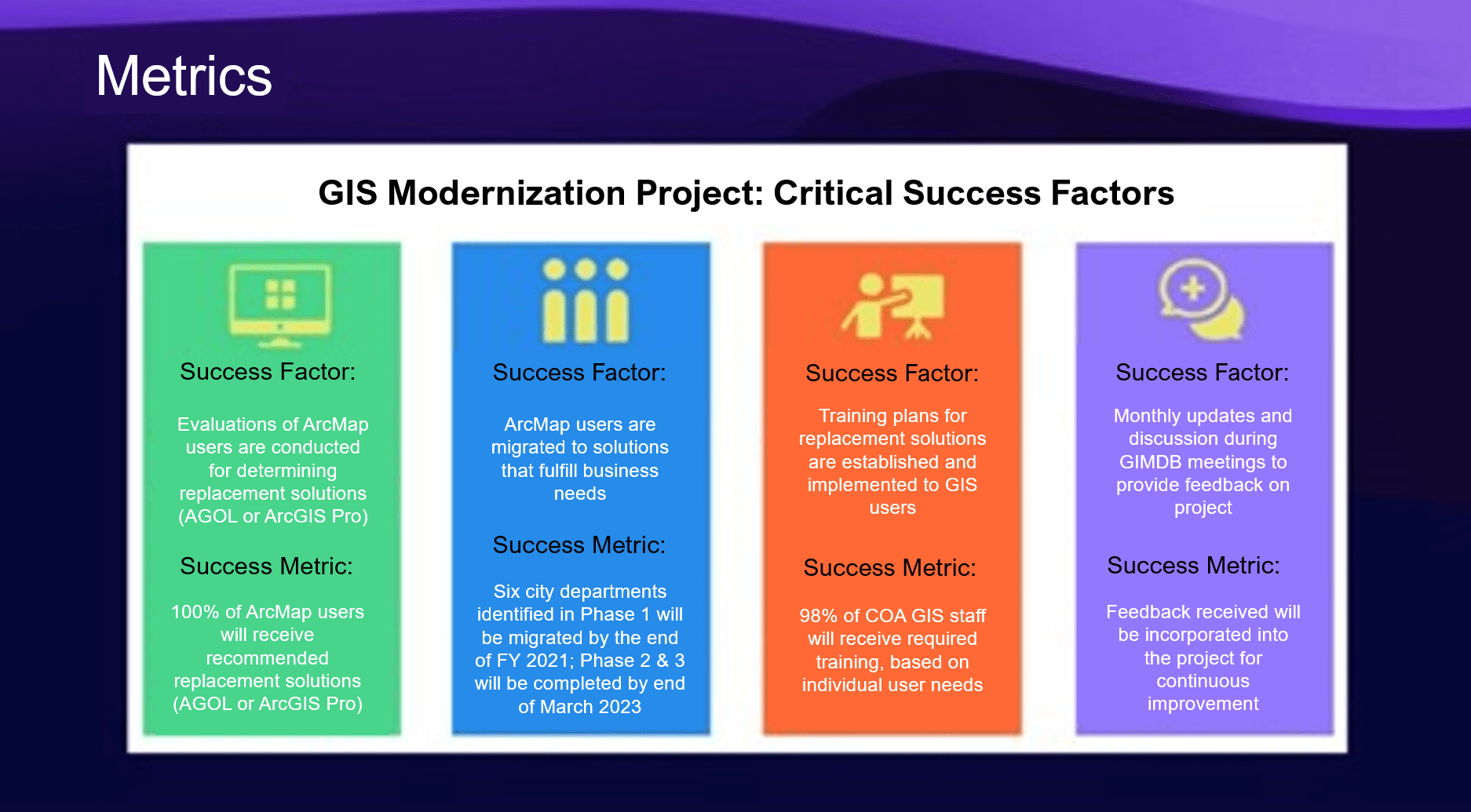
The City of Austin established four critical success factors, including implementation of training plans and regular communications, to measure success during their modernization process.
Tactic 2: Break down the work strategically
To accomplish all of this across more than 30 departments, CTM broke up the transition plan into manageable phases that each lasted about a year. Phase 1 was largely about onboarding, as discussed above, and discontinuing use of ArcMap for projects on a go-forward basis.
During Phase 2, CTM leveraged GIS Data Mart usage stats and other information to strategically target unmigrated agencies with a large user base. “We also looked for departments we thought might experience technical issues and need a third year to work through,” said Andrew Rudin of CTM.
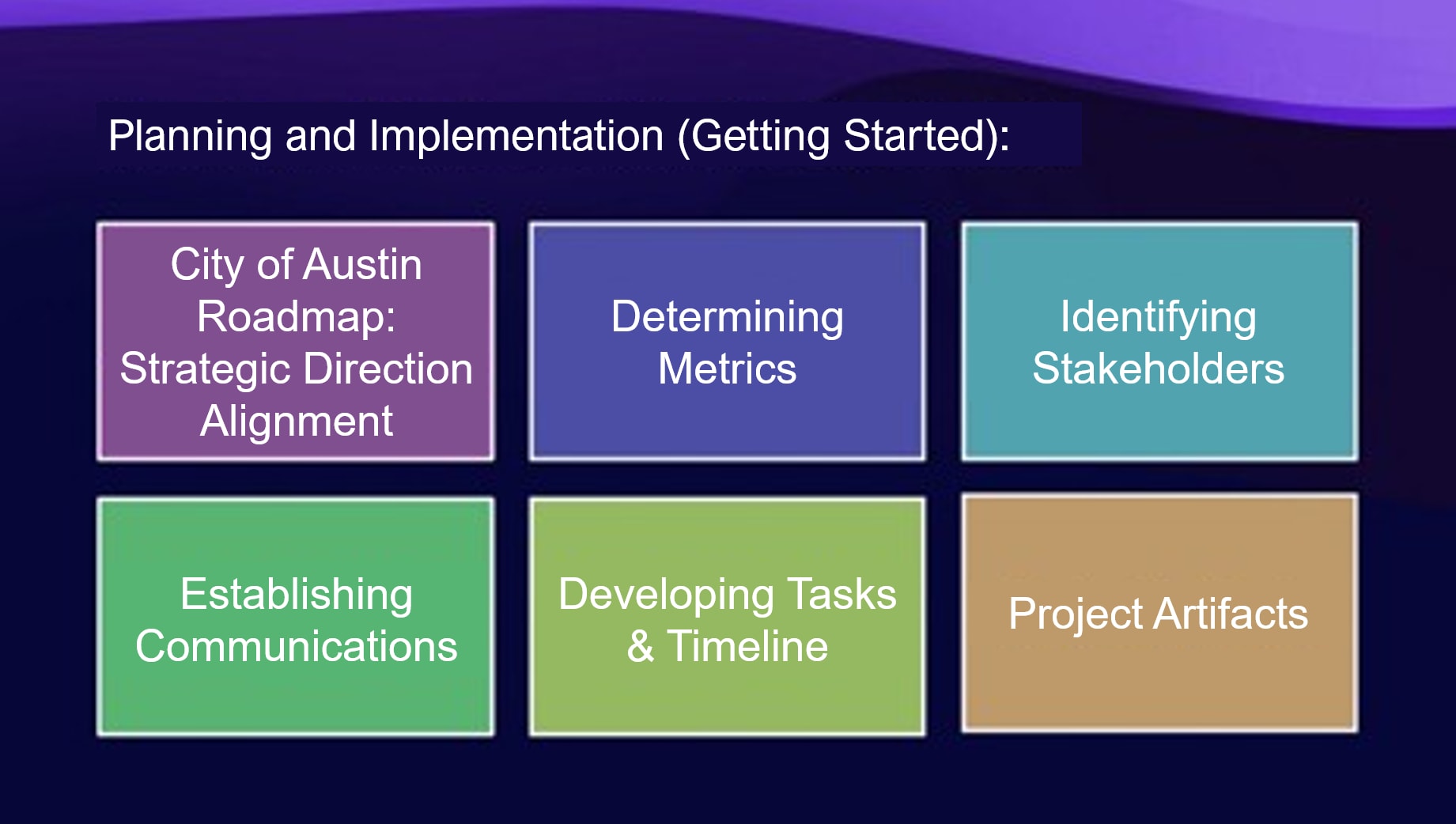
The City of Austin took a stepwise approach to getting started with their migration.
Tactic 3: Get help where it’s warranted
CTM knew it didn’t have to go it alone when it came to something as complex as a citywide software migration: it leveraged its access to the Esri Advantage Program to get help. Through their Advantage Program (AP) engagement, the city was regularly in touch with an Esri solution engineer who answered questions about how to move specific workflows over to ArcGIS Pro. Departments with custom ArcMap extensions used their AP credits to consult with Esri Professional Services and determine individual migration paths for their tools, and they also used AP credits to access instructor-led “Migrating to Pro” classes during the migration. (Esri Canada’s Advantage Program offers a similar credits-based system. Your AP subscription unlocks access to a bank of credits that can be spent on professional services and training on an as-needed basis, without needing to go through a procurement process every time.)
How Austin succeeded—and where it’s headed next
In the first year of the transition, at least six city agencies, including the parks, fire and police departments, transitioned to ArcGIS Pro. An early example was the city’s Development Services Department, which manages and ensures compliance with applicable city building codes. Now, using ArcGIS Pro, they’re exploring new improvements to the city’s permitting system that will enable a faster start to projects and improve quality of life in the city.
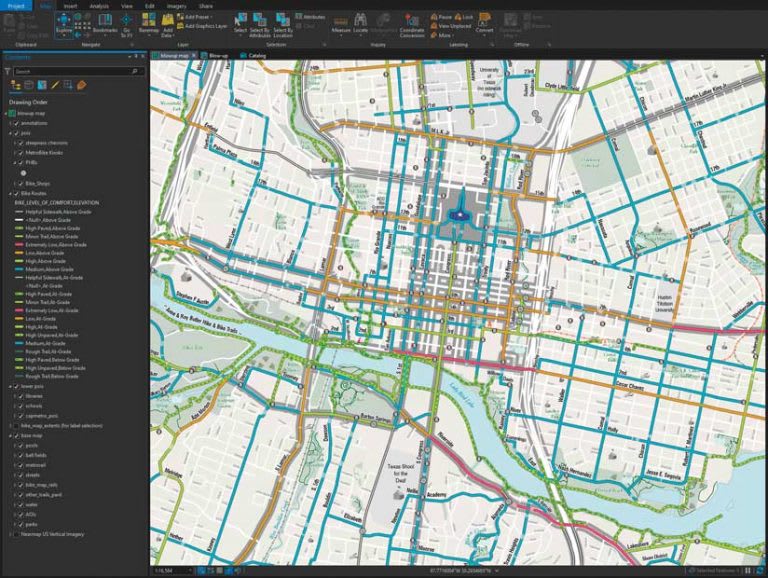
In 2021, the City of Austin’s Alan De Anda produced the Austin Bike Map entirely in ArcGIS Pro for the first time.
In the past, people throughout Austin’s government used ArcMap to edit data directly in a geodatabase, using traditional versioning. In early 2025, in parallel with the move to ArcGIS Pro, the city added ArcGIS Enterprise to their GIS stack. Now, datasets can be exposed as feature services in ArcGIS Enterprise, allowing users to edit data through those services. That capability will open features such as branch versioning and editing from ArcGIS Field Maps.
Overall, moving to modern ArcGIS technologies has been an improvement not only in spatial analysis capabilities for the city, but also in workflow and in ability to align everyone under a unified geospatial strategy.
How Canadian organizations can benefit similarly
For Canadian organizations, Austin’s approach offers valuable insights into how to manage a smooth migration from ArcMap to ArcGIS Pro. By learning from those who’ve done it before, you too can improve your organization’s workflows, enhance collaboration among departments and activate new strategic capabilities within your GIS program.
If you need extra support with your migration process, including access to professional services and training on an as-needed basis, Esri Canada’s Advantage Program offers a credit-based system that you can leverage the way Austin did. A strategic advisor will help you determine which migration strategies will work best for you, and answer any questions you may have about how ArcGIS Pro can help replicate—and improve—your existing workflows.
Get started on your migration
Not sure where to begin with migration? Learn more about ArcGIS Desktop retirement or start with our bank of migration resources. If you’re ready to roll up your sleeves but have specific questions, our instructor-led course “Migrating from ArcMap to Pro” grants you access to exercises you can practice on as well as a teacher who can help. Or, for more migration strategy tips from a Canadian organization that has also recently migrated, discover the City of Kingston’s simple, systematic approach to ArcMap retirement.